

Juggle your AI agents.
Which one needs you?
Running multiple AI agents gets messy fast. Inferise Code brings them into one clean window, alerts you the moment an agent needs help, and lets them check each other's work.
Available on macOS • Windows and Linux releases coming soon
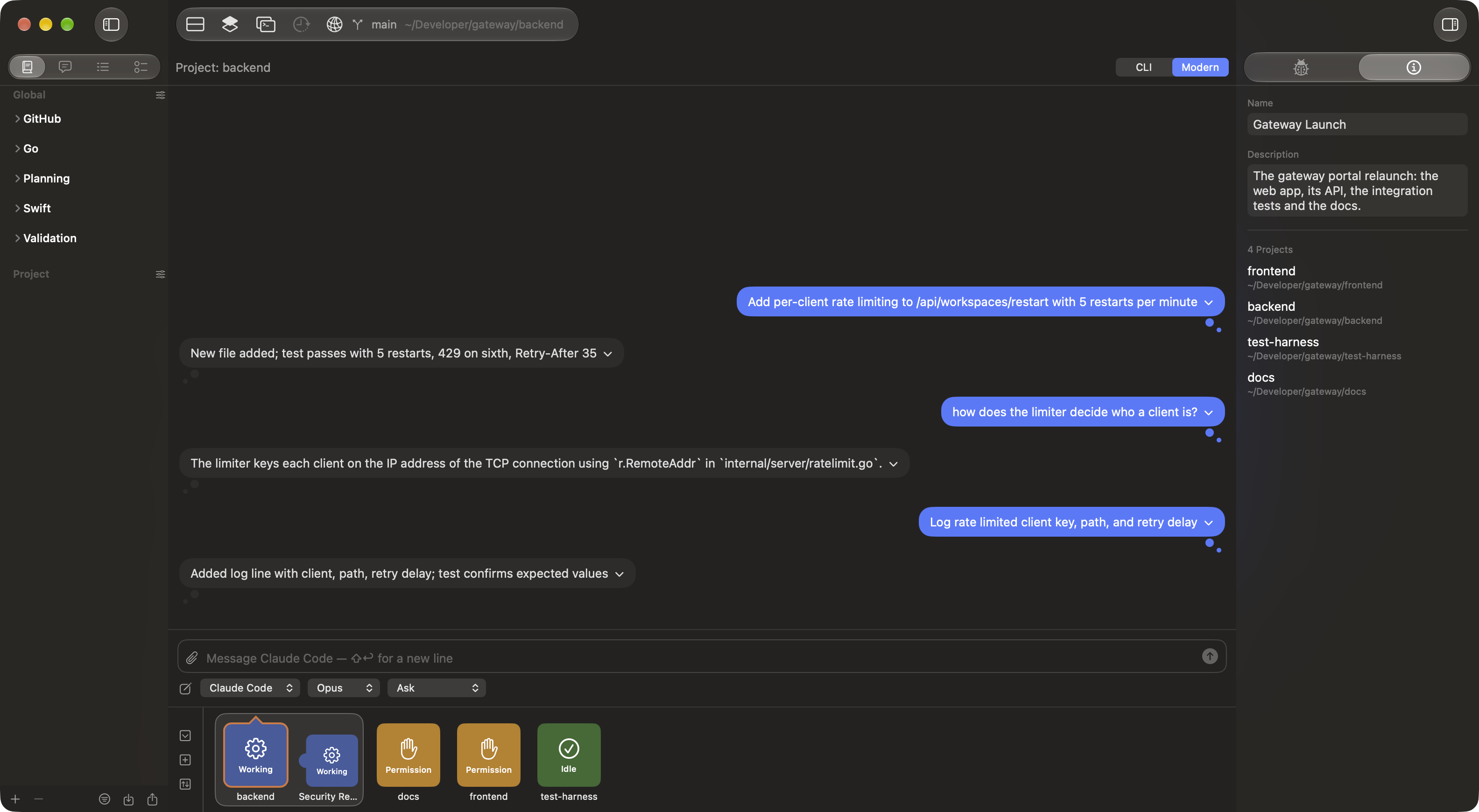
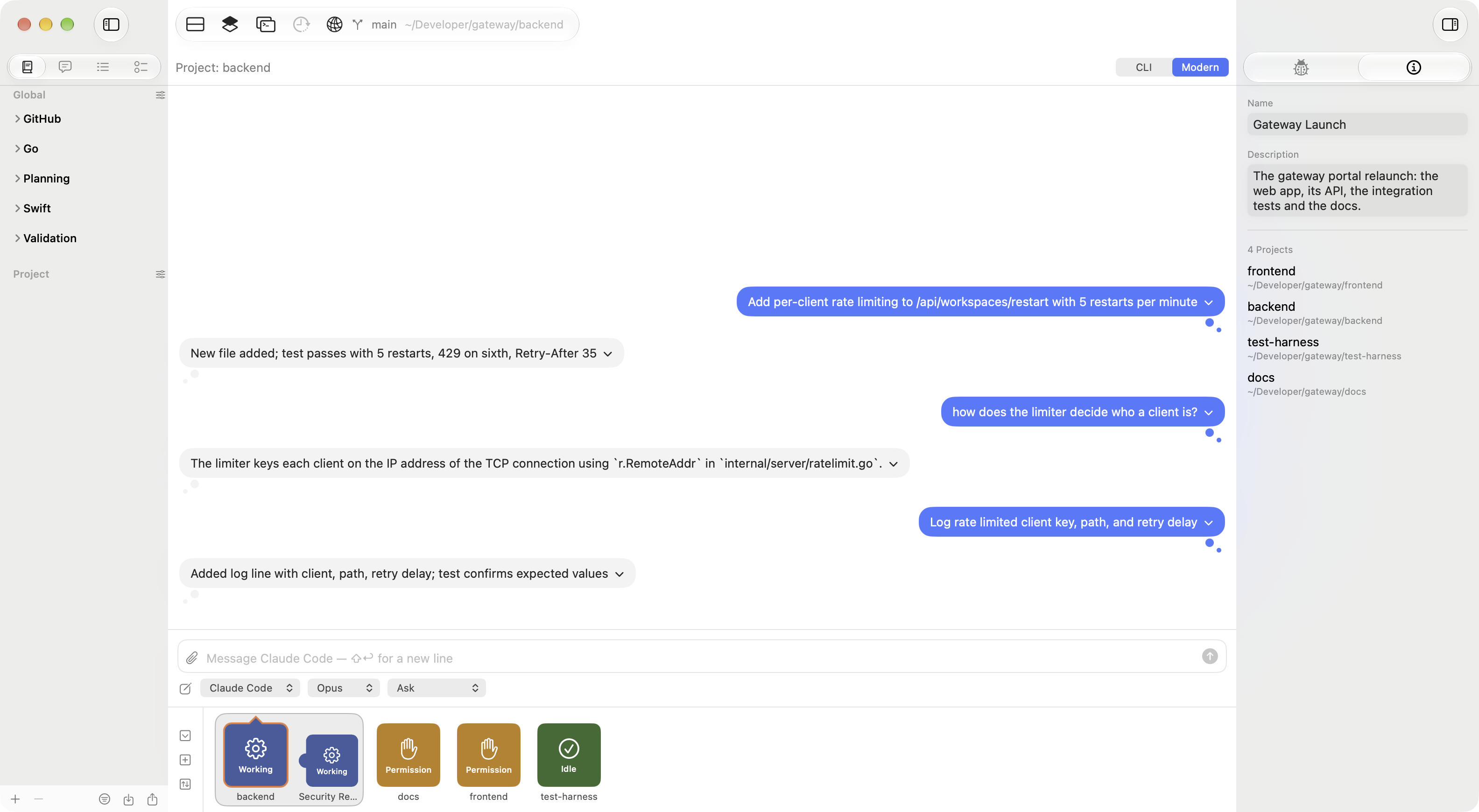
One glance tells you where to go next
Whether you run two agents or twenty, every project gets a colored chip. The chip shows how badly that agent needs you, with the most urgent project first. If an agent is stuck waiting for your answer, it warns you after five minutes. No noise, no guessing.
Five minutes to urgent
A question sitting unanswered escalates from Needs Input to Waiting! No output arrives while a session sits idle, which is exactly the condition the escalation exists for.
A week to neglected
The staleness clock is seeded from a project's newest prior session, not from launch, so one you abandoned weeks ago reads as neglected the moment it reopens.
Your chip stays put
The project you are working in is pinned leftmost regardless of severity. The chip under your pointer never moves every time its background session changes state.
Tasks sit beside projects
Automated Project Tasks attach directly to their project chip in the ribbon with their own status, showing whether a secondary review is running or waiting.
Built for the way this actually goes
Every architectural decision came out of running too many agents at once and losing track.
Designed for high-throughput cognitive work
Group the work, not the folders
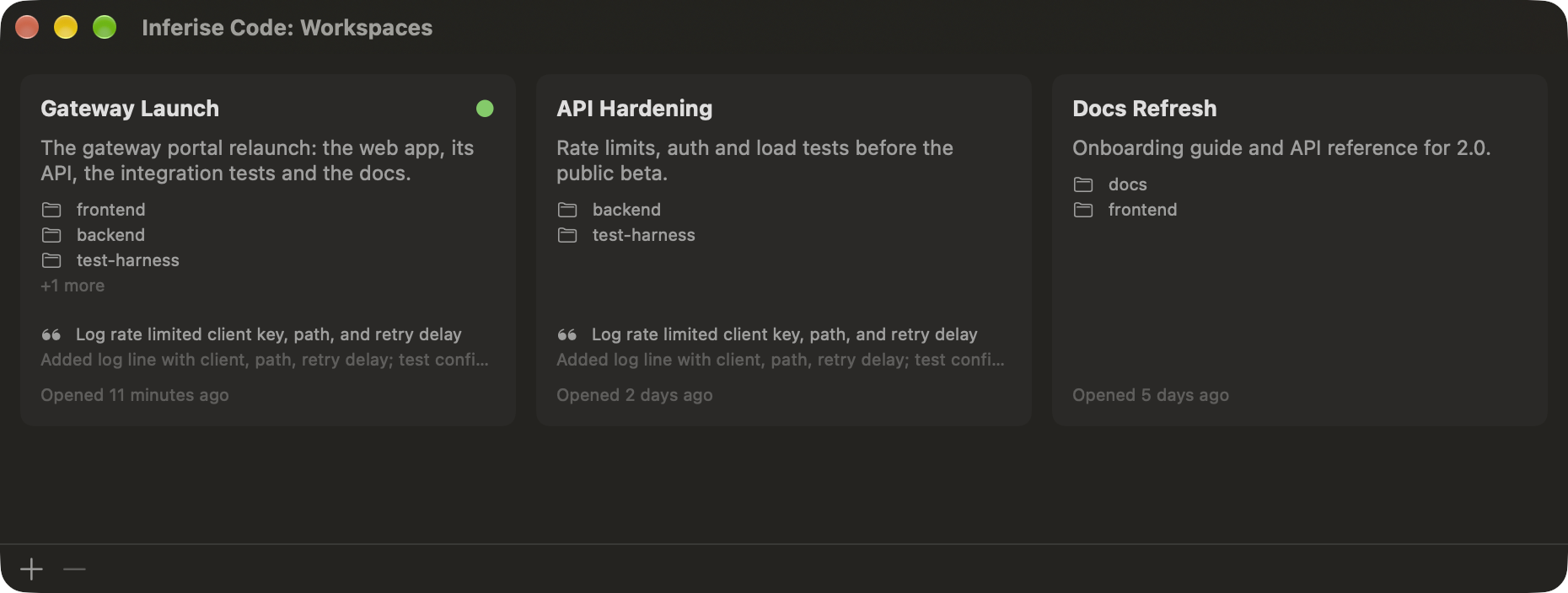
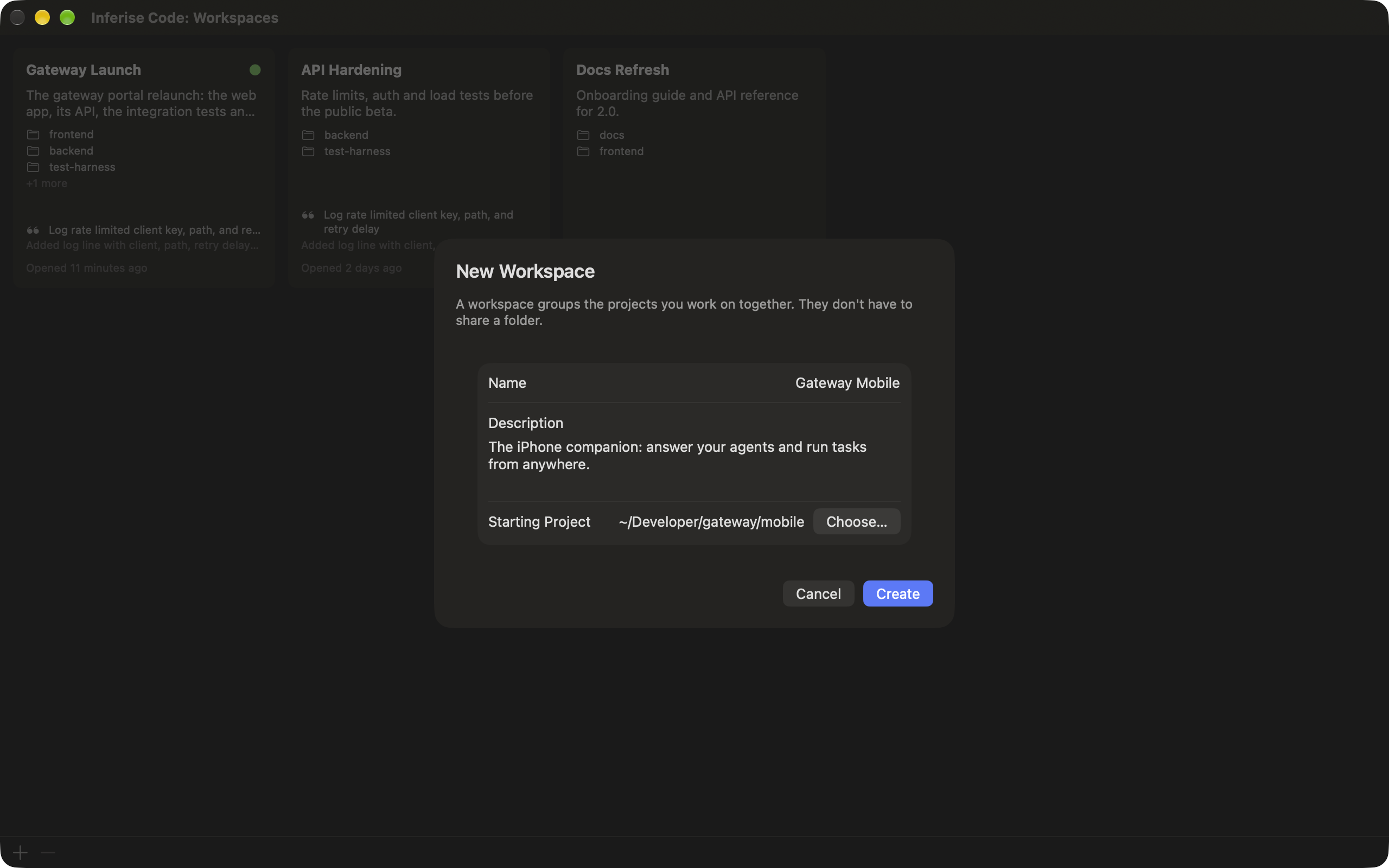
A workspace is a named group of projects in one window. Give it a name, say what it is for, and pick the project it starts with. The projects do not have to share a folder: a web app, its API, the tests and the docs can sit side by side.
Click a chip and the editor swaps in place. Nothing is torn down and nothing is paused, so every backgrounded project keeps working. Close the window and the workspace waits on the start screen with its description and the last thing each project did.
A conversation, not a scrollback
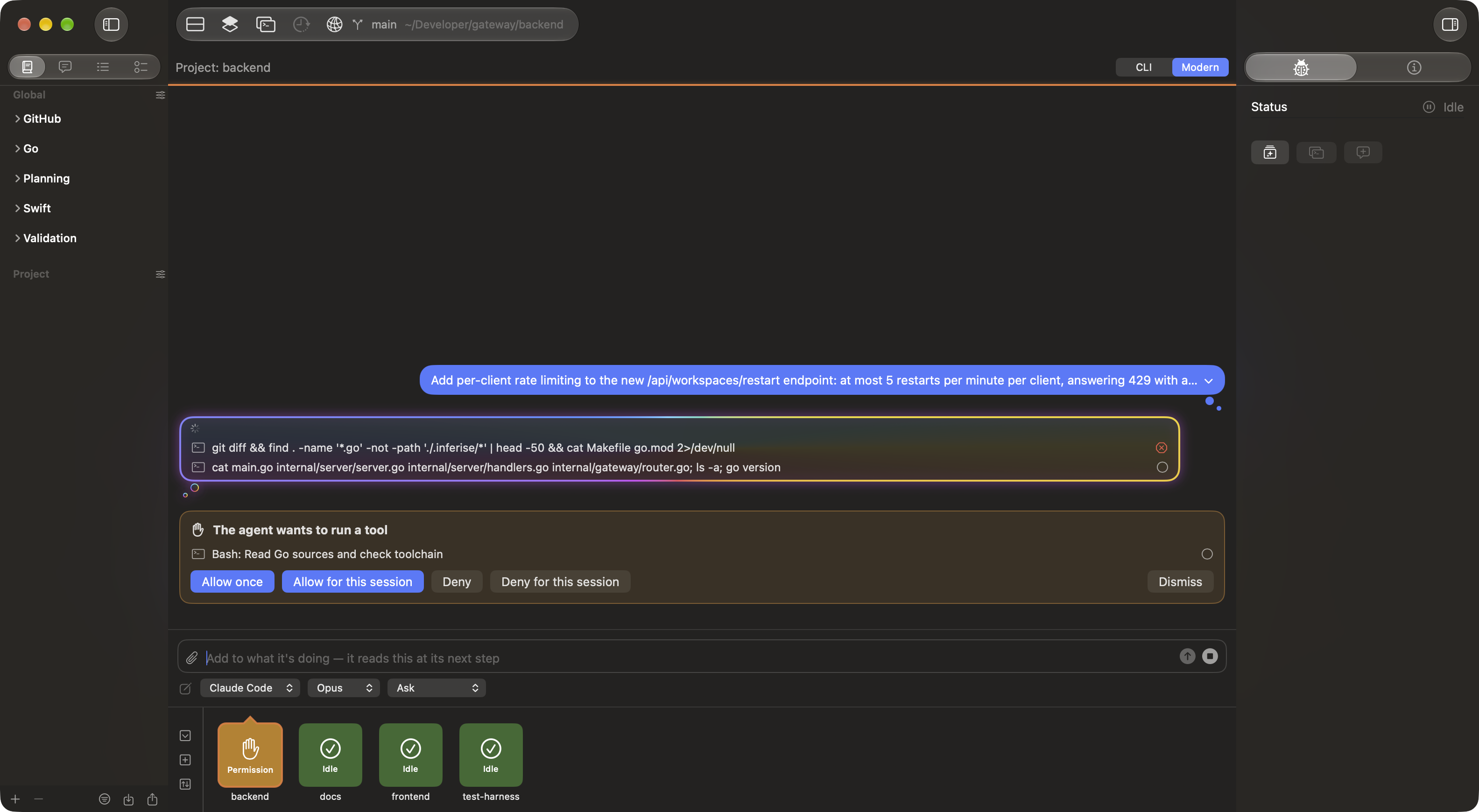
Modern mode draws each session as prompts and answers. Every finished turn collapses to a one-line summary written on your Mac by Apple Intelligence, so a long session reads like a list of what got done. Expand any turn to see the full answer and every tool it ran.
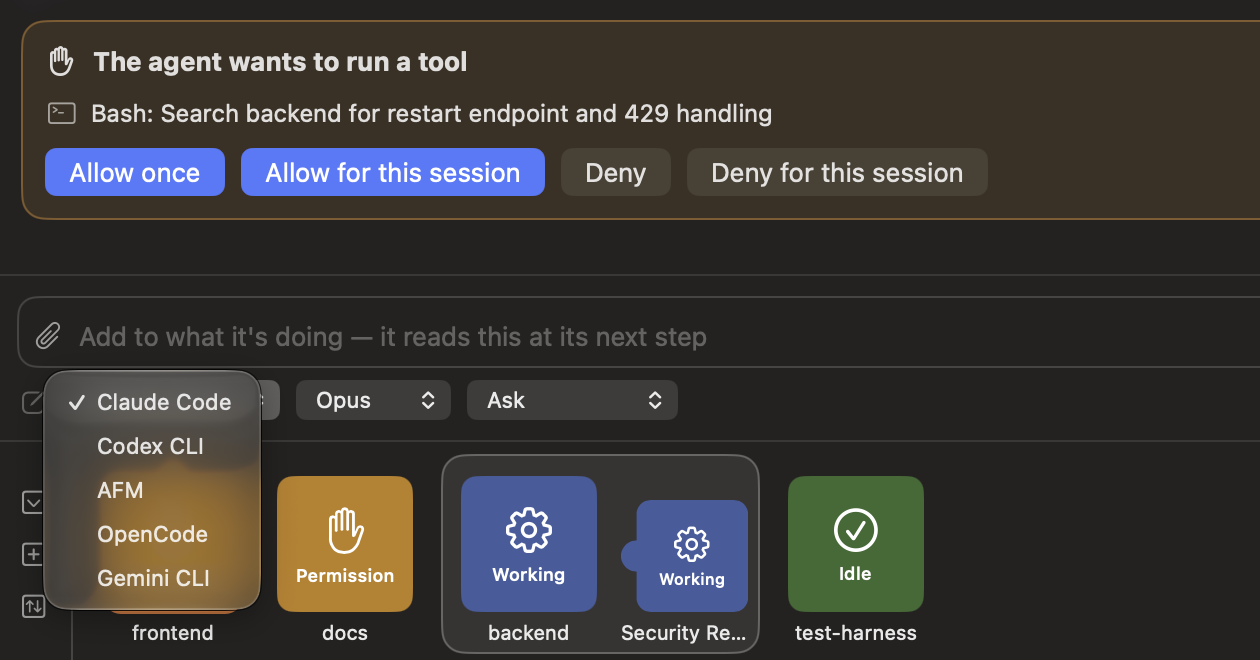
Permission requests appear inline, with the agent's own choices. Add to a running turn without stopping it, attach images, and switch agent, model or mode from the composer. The terminal is still one click away.
One interface for Claude Code, Codex, Gemini CLI, OpenCode and more.
Put your agents to work checking each other
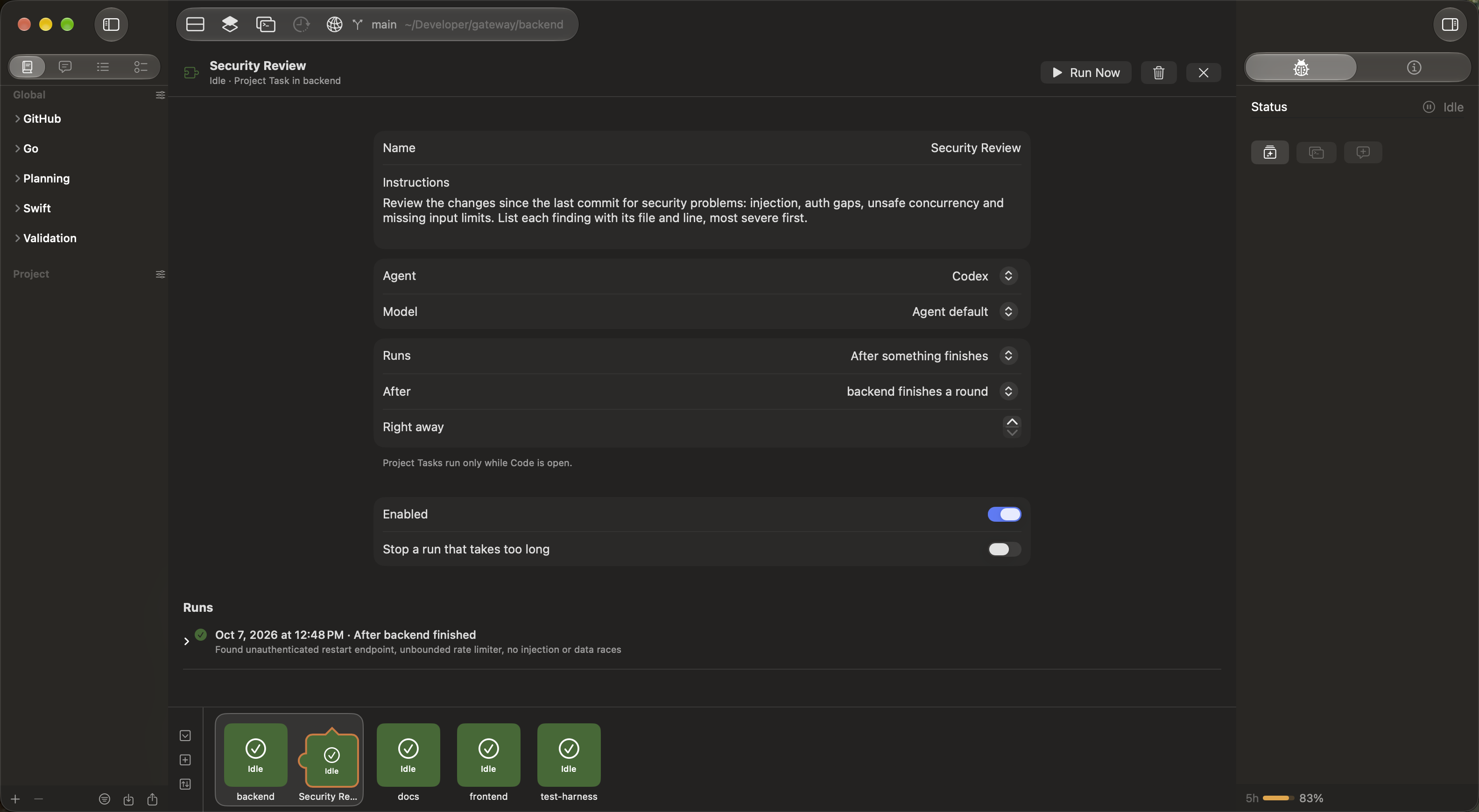
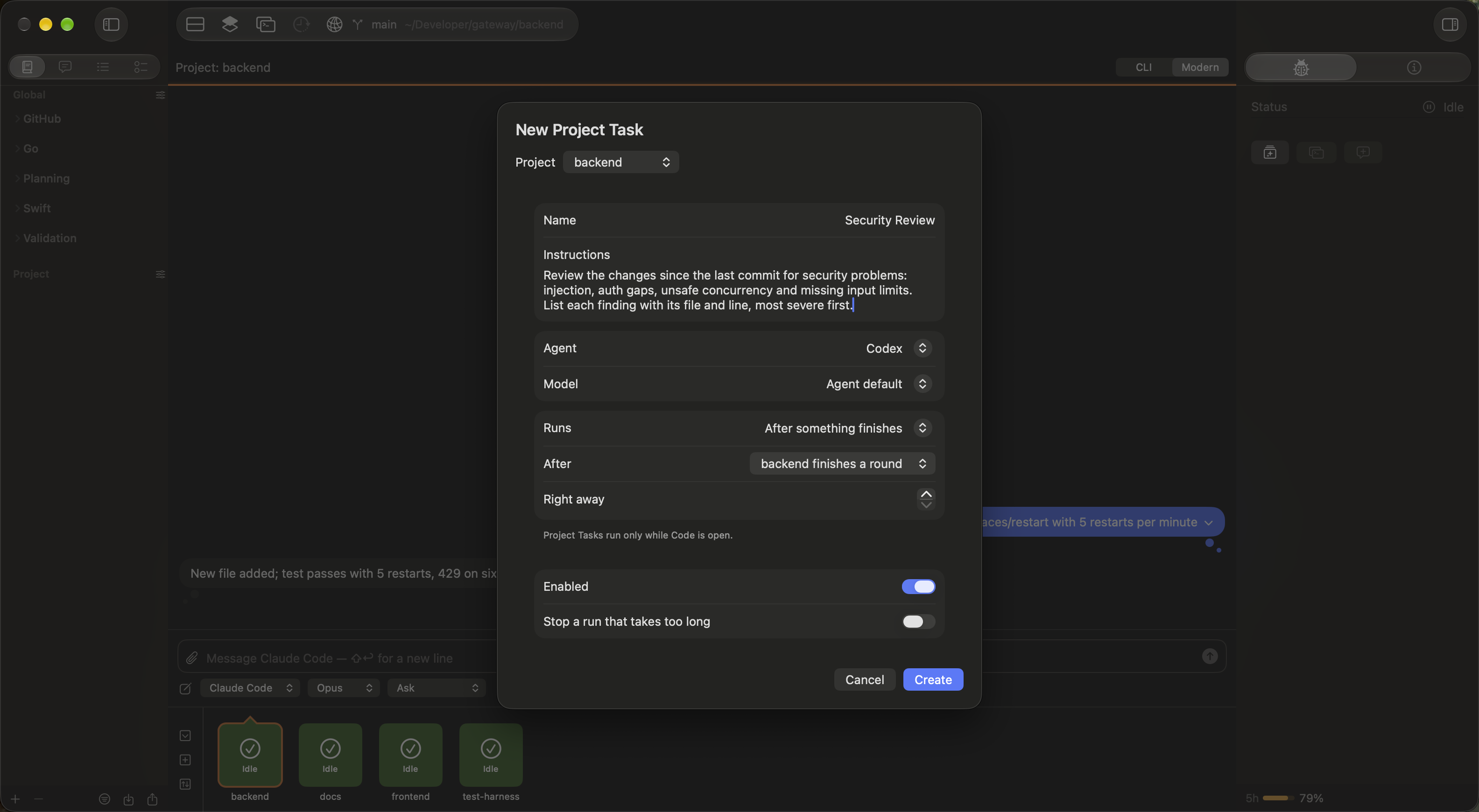
Give your projects small jobs that run by themselves. Set a task, pick the agent and model, and choose when it runs: on a timer, when the app opens, or right after another agent finishes.
Use adversarial checks without lifting a finger. Have Codex or Antigravity review whatever Claude Code just wrote before you commit it. You get a second opinion automatically, and the results pop up right on your project chip.
Prompts that live with the work
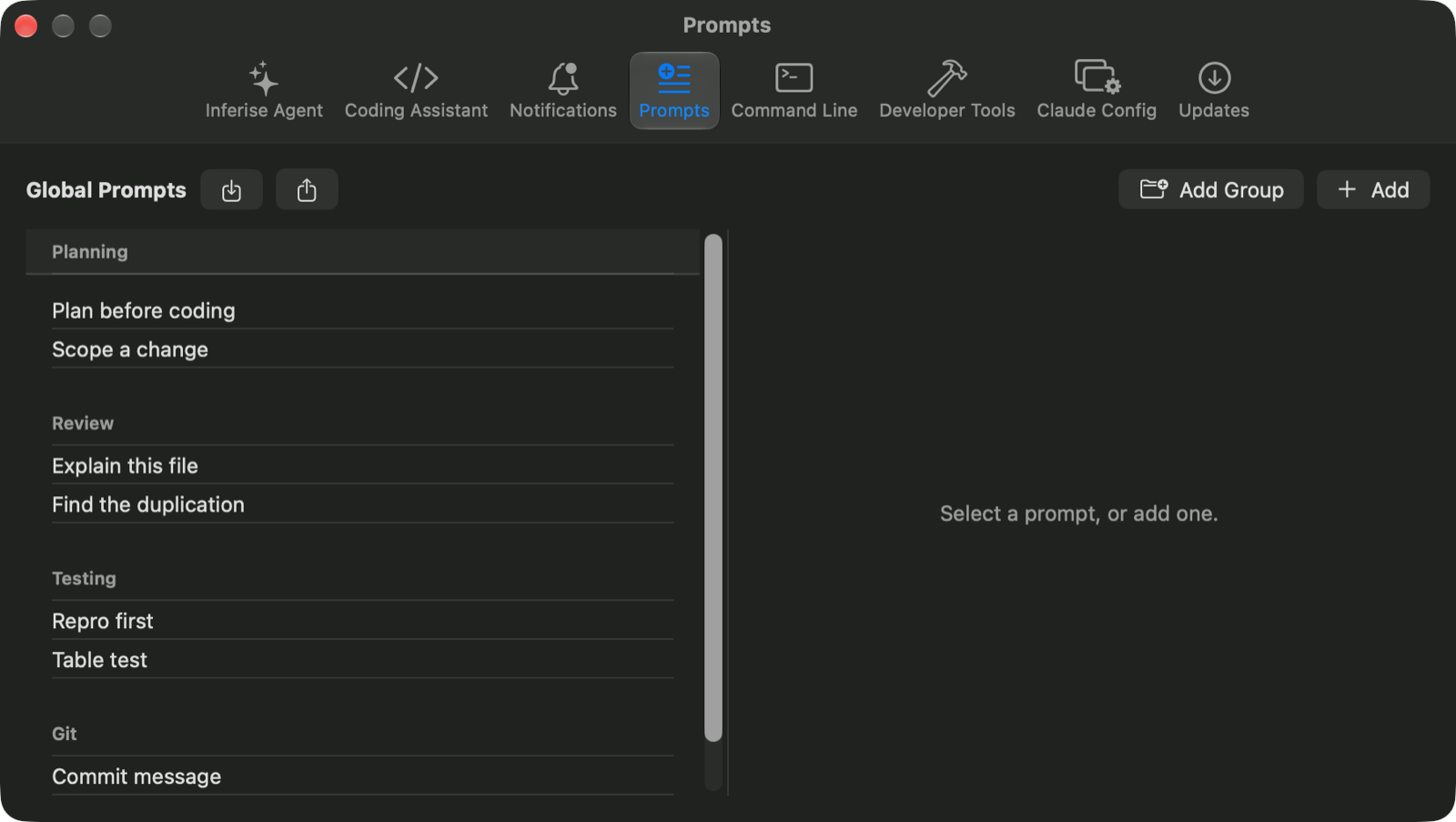
A library with two scopes: global prompts available everywhere, and project prompts stored right in the project repository. Both organize into collapsible groups you can filter. Single-click to edit, double-click to run.
Running one pastes it into the composer and stops there, deliberately. You read and edit before anything is sent. Import and export the whole library as JSON to share with your team.
Write the outline. It handles the rest.
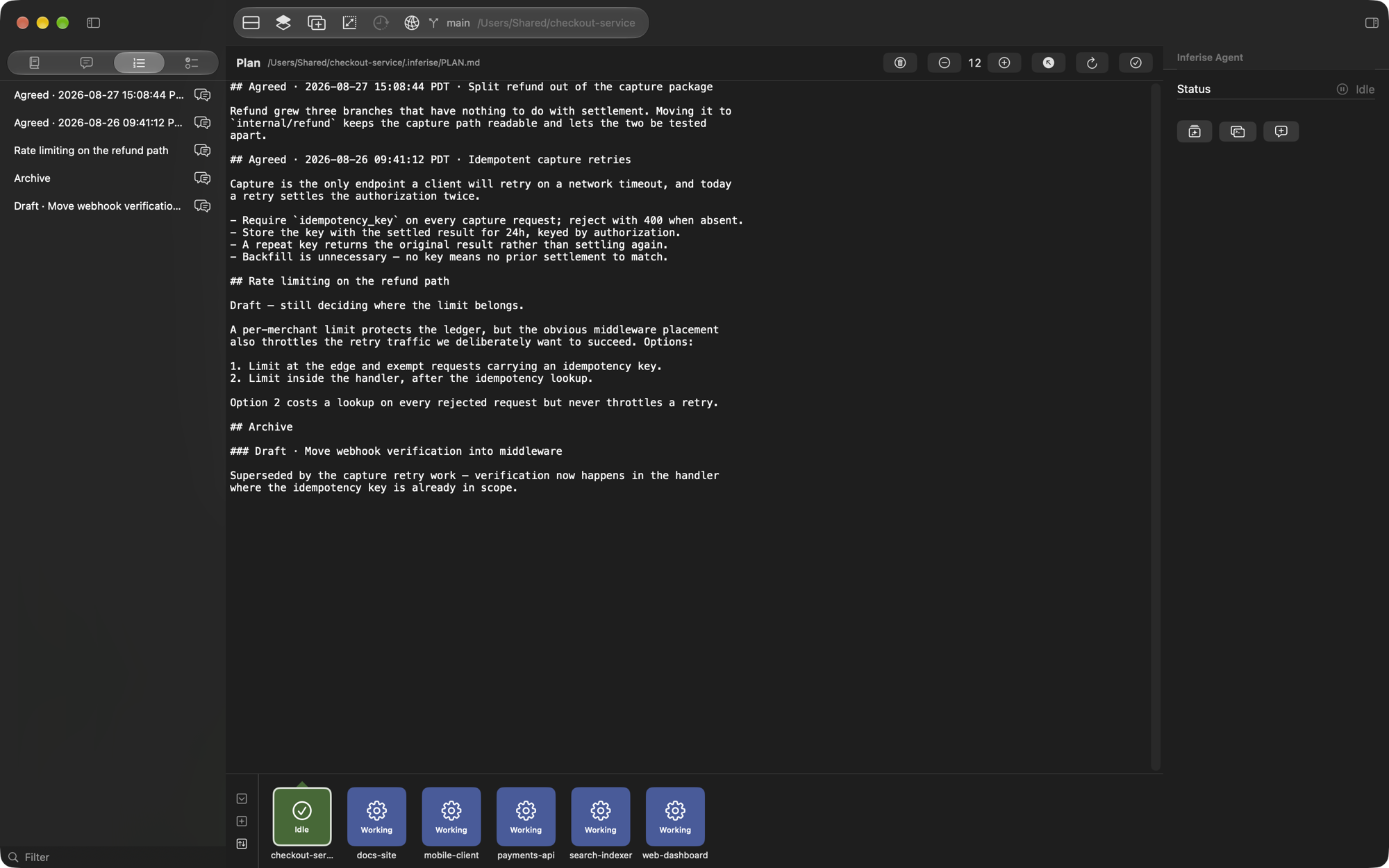
Sketch a rough overview in the plan pane and send it. Inferise Code puts the agent into plan mode, frames your text into a proper planning prompt, and asks it to write the settled plan back to the file.
Then it files the result itself, with agreed plans sorted to the top, live drafts beneath, and superseded ones archived. Todos work in both directions: send a task into the prompt and it clears itself from the list.
Inspect and edit the memory hierarchy
Autonomous coding agents like Claude Code, Codex, Antigravity, and Opencode read configuration and memory files from enterprise scope down to project scope. Inferise Code gives you a dedicated editor for every tier with atomic writes and rolling backups.
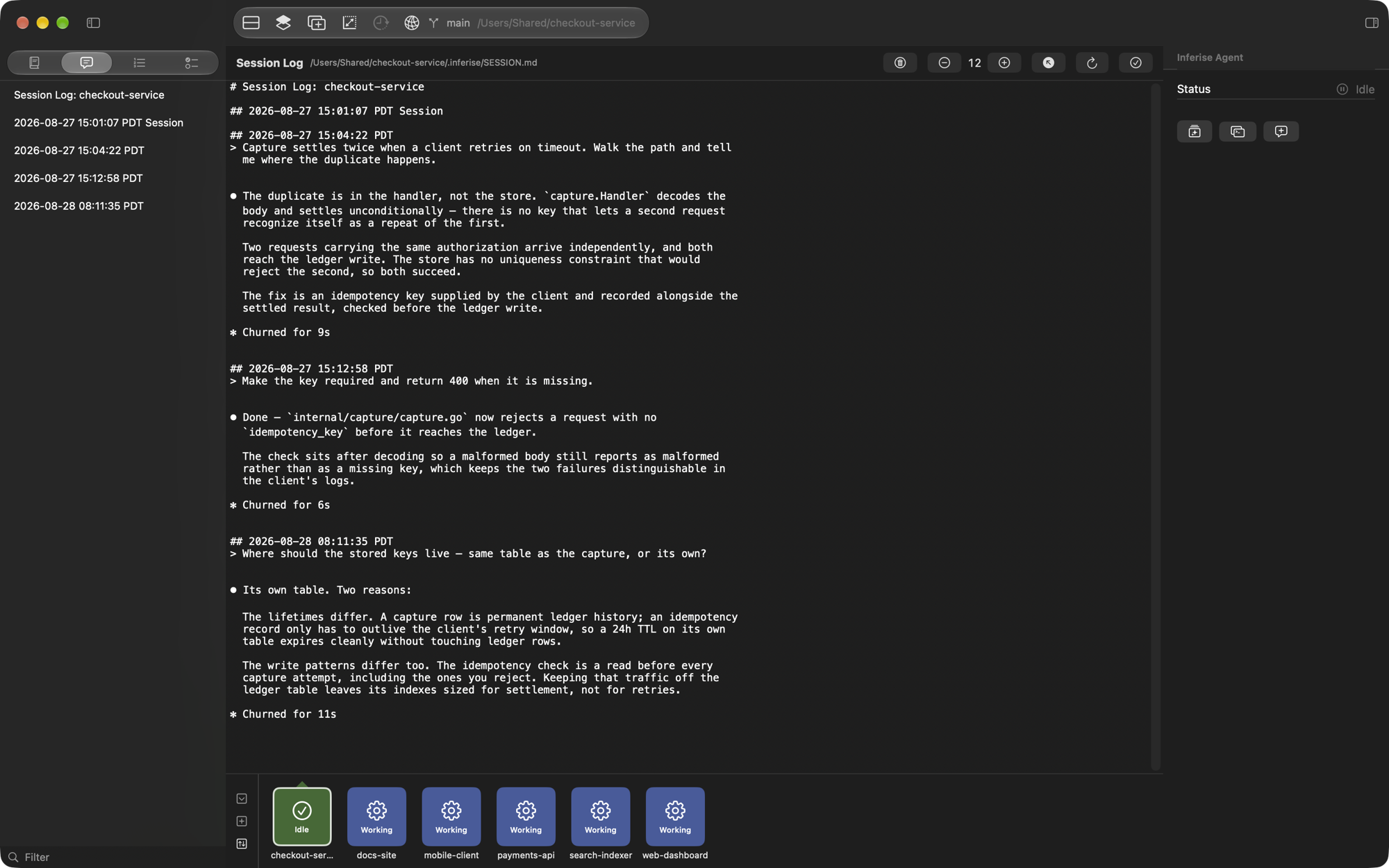
When an agent conversation goes down a bad path, clear the session log with one click and start fresh without losing your underlying plans or repository todos.
Let the safe confirmations answer themselves
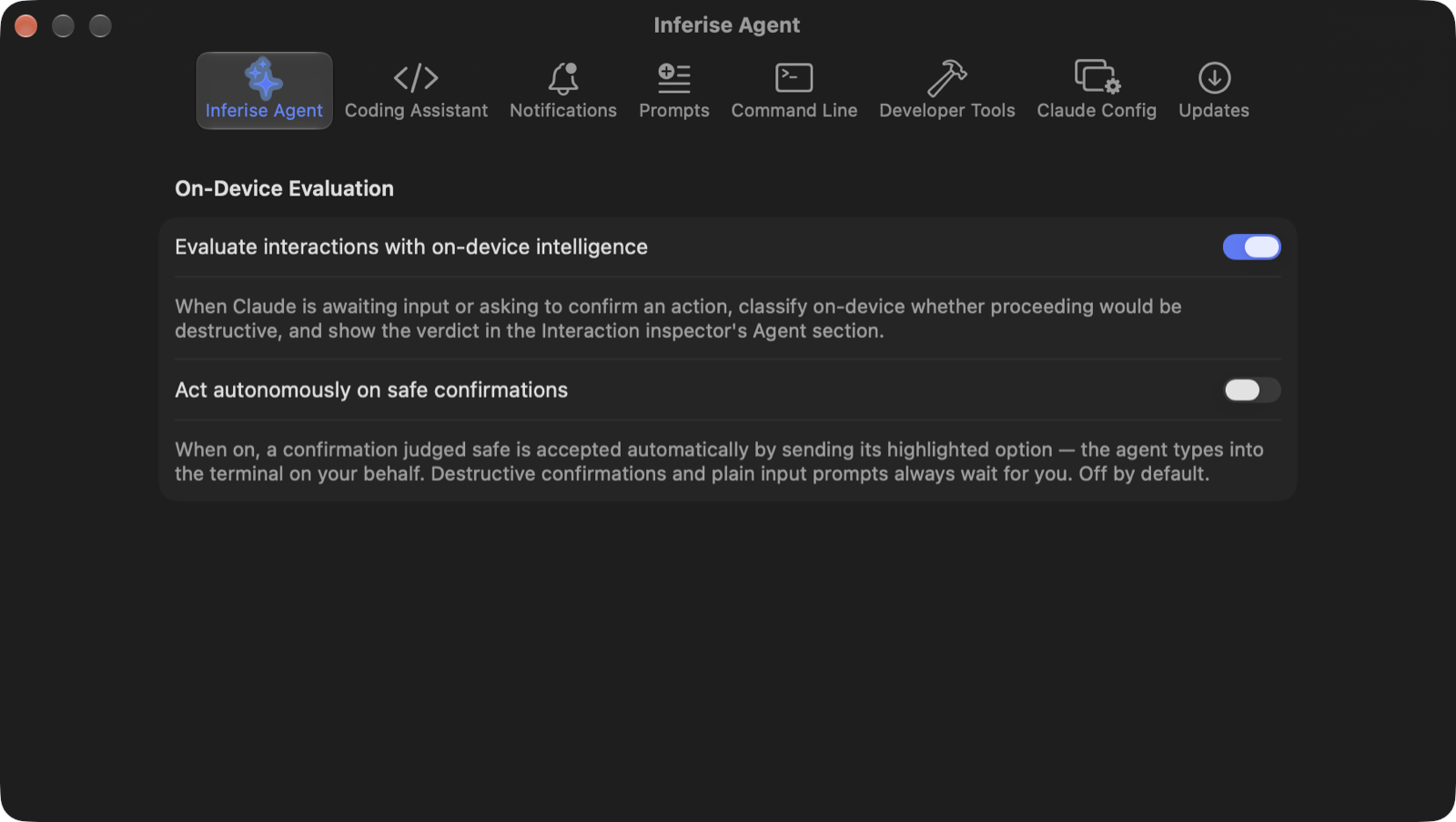
When the agent stops to confirm an action, on-device intelligence classifies whether proceeding would be destructive and shows you the verdict. Nothing leaves your Mac to do it.
Opt in to acting autonomously and a confirmation judged safe is accepted for you. A destructive verdict, a plain question with no options, or no pre-selected choice all still wait for a human.
Burn down AI waste and understand the true cost of AI
Autonomous agents accelerate feature development, but without instrumentation, technology leaders cannot tell which features are genuinely efficient and which are burning budget on prompt churn and bug regressions. Inferise Code provides sprint-over-sprint telemetry to burn down AI waste, uncover what top engineers do differently, and generate live executive reports for managers, directors, and VPs.
Burn Down AI Waste
Track the downward curve of abandoned threads, prompt churn, and token bleed every sprint. Uncover why one engineer solved a task in 3 prompts vs 20, and build common shared layers so the whole team's efficiency rises.
Token Utilization Efficiency
Track productive context consumption versus wasted token loops and hallucinated turns. Know exactly how efficiently models are converting tokens into usable code.
Prompts Per Feature
Measure how many prompts, refinements, and agent interactions it took to take a feature from plan outline to functional commit. Benchmark prompt economy across teams.
Pull Requests Required
Monitor pull request volume and branch consolidation. Distinguish between cohesive single-PR deliverables and fragmented, high-churn branch diffs.
Bugs & Regression Tracking
Correlate post-merge bug reports and regressions directly back to the agent sessions that authored them. Ensure acceleration never comes at the cost of stability.
Feature Delivery Duration
Measure total cycle time: from initial task assignment to merge, breaking down active agent synthesis time versus human review turnaround.
Executive Reports & Live Tracking
Live dashboards and scheduled summary briefings for managers and up. Export complete cost and velocity analyses as CSV, JSON, or executive presentations.
By restricting agent turns to architectural decision boundaries and enforcing local planning before code generation, the team reduced prompt looping by 46% this sprint, delivering 14 features across 16 pull requests with zero critical regressions.
Pilot Pro: your Mac's agents, right from your phone
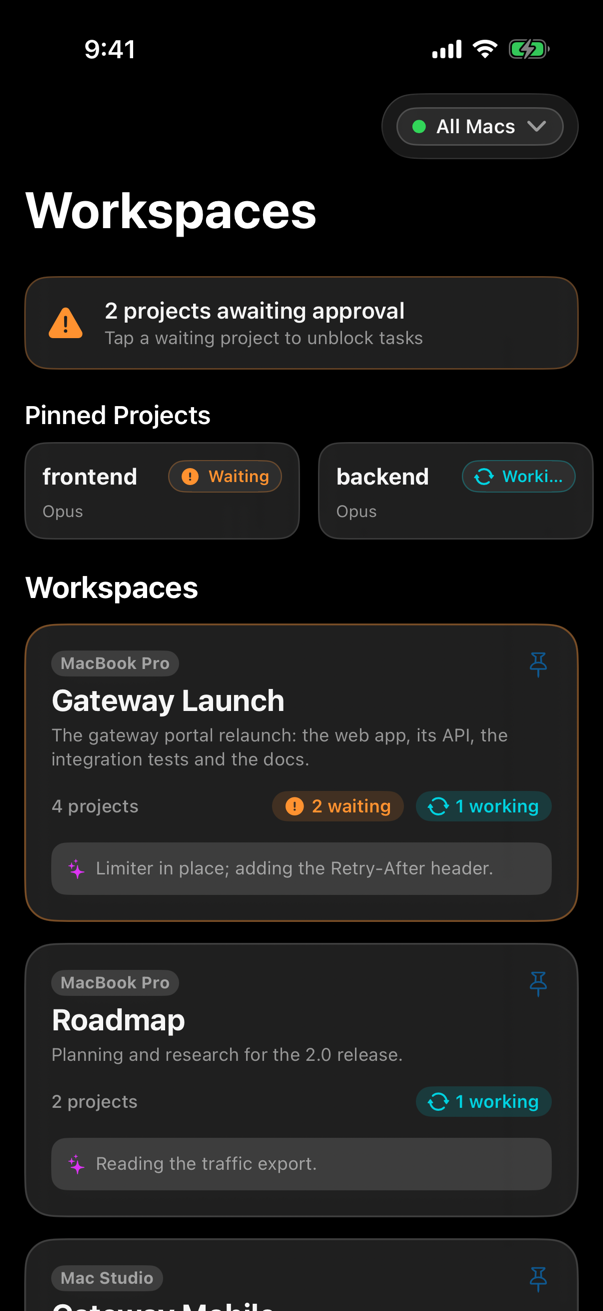
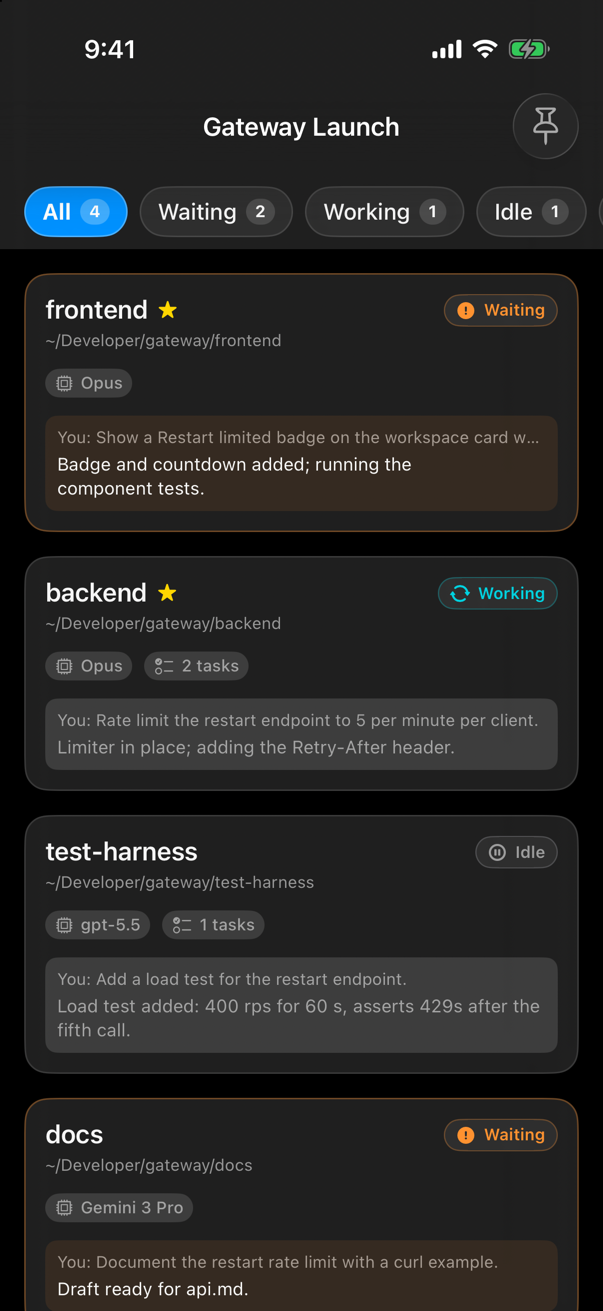
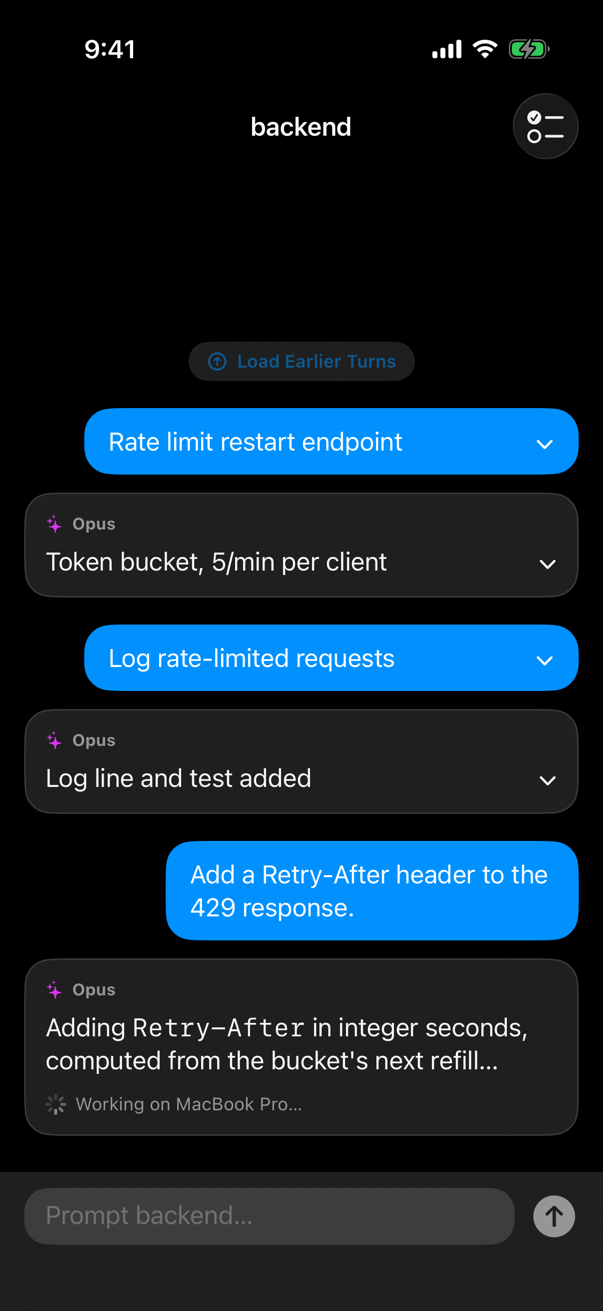
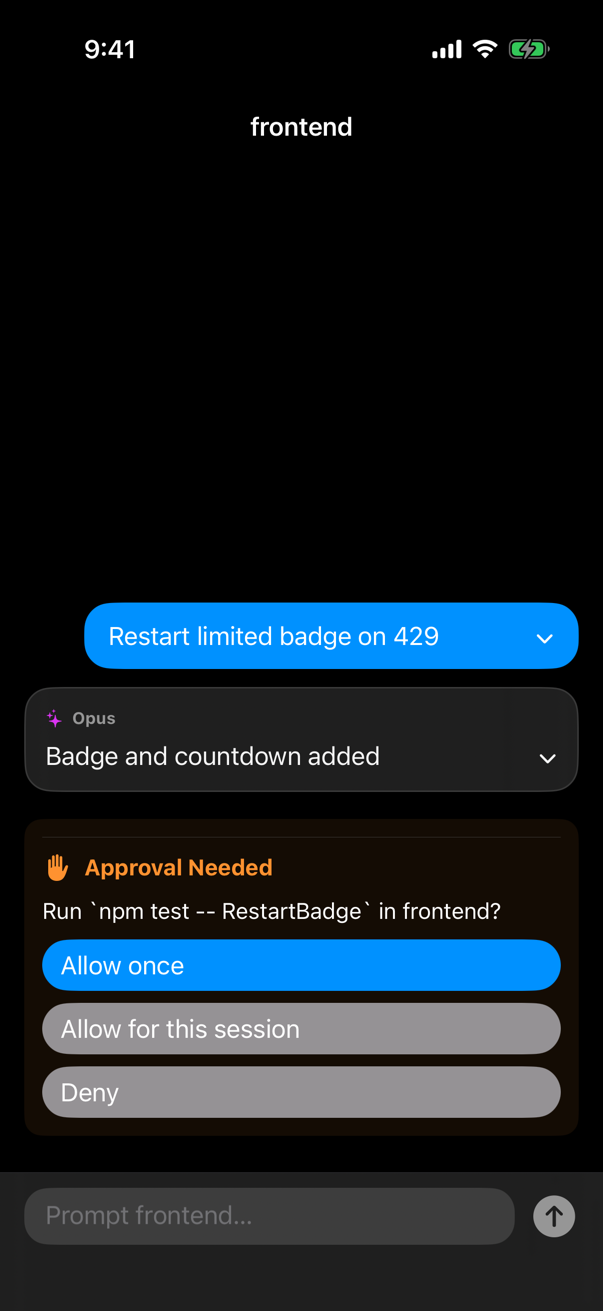
Pilot Pro is the native iOS companion to Inferise Code (contact for download). See every workspace and project across all your connected Macs, answer what an agent is asking, read live turn summaries, send the next prompt, and trigger Project Tasks, all without walking back to your desk.
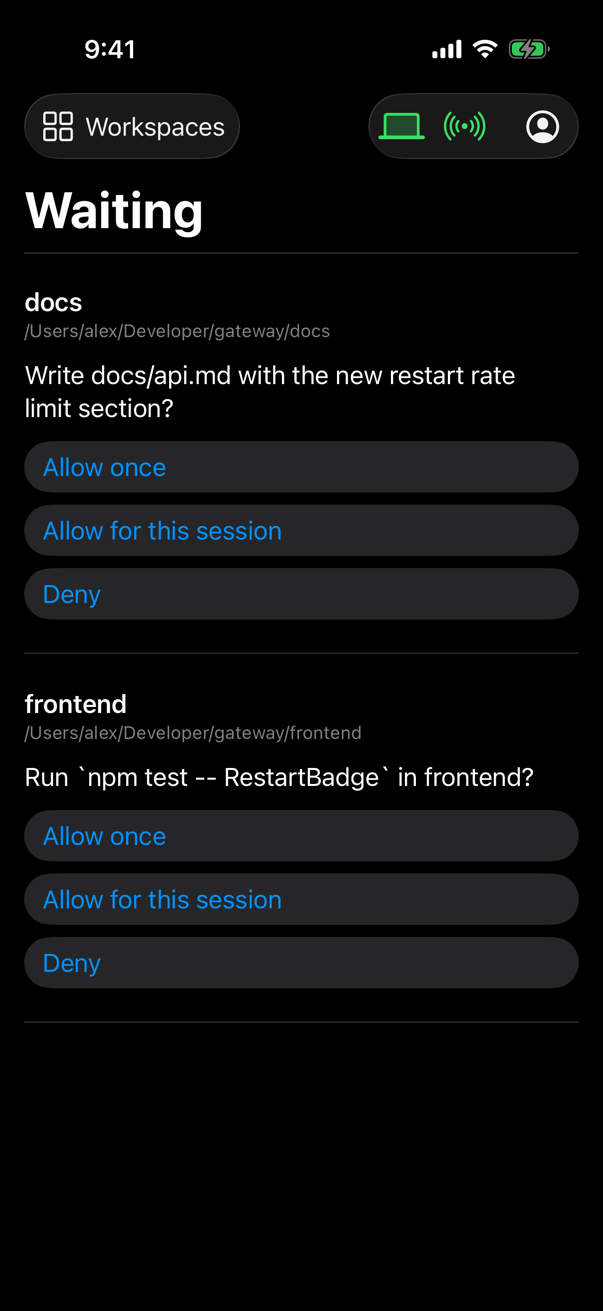
A centralized Waiting inbox aggregates pending questions and approvals from every active project in one place. Answers route back securely by request ID to the exact session that asked: never a different project, and never repeated if already handled on your Mac. Sign out or quit Code and your phone updates status immediately.
Terminals that keep their names
Split panes into columns and rows, name them, size them. A pane number is assigned once and never reused: Terminal 3 stays Terminal 3 for as long as it lives.
Open from anywhere
Run incode . in any terminal, or right-click a folder in Finder and choose Open in Inferise Code.
Quick tools in the toolbar
Click the branch name to open your Git client, click the path to open your code editor, option-click for Finder. You configure which applications open.
Keyboard first
Switch chips with ⌘1 through ⌘9, toggle drawers with ⌘[ and ⌘], and resume the last session with ⌘R.
Updates that come to you
Signed, automatic updates over Sparkle. Check for Updates is in the app menu whenever you want to look yourself.
Your files, in the open
Plans, todos, and logs are plain Markdown in the ~/.inferise/ directory in your user home folder, where all projects live. Inspect them, diff them, or back them up freely. Nothing is locked in a proprietary database.
System Requirements
Inferise Code drives your installed agent CLIs; it does not replace them and does not bundle them. You bring your own installs, subscriptions, and keys.
Frequently Asked Questions

Stop guessing which one needs you
Free while in public beta. Available for macOS today, with Windows and Linux releases coming very soon.
We use your email to notify you about critical updates and releases. Zero spam.